Crew Matrix
Construction workforce compliance platform
Know who is cleared for site before they reach the gate.
Construction workforce compliance software, designed, built and run by Jogan. Crew Matrix collects worker and subcontractor documents, tracks every expiry, puts each upload through review and gives every worker one clear Site Clear status, with the evidence behind every decision kept on file.
Live. Built by Jogan and live.
- Designed, built and run by
- Jogan
- Status
- Live and open for sign-up
- Built for
- Construction workforces
- Product website
- crewmatrix.co.uk (opens in a new tab)
The problem
Who is actually cleared to be on site today?
Construction teams need to keep worker records and required site documents up to date. When these are spread across spreadsheets, missing paperwork and approaching expiry dates can be difficult to track.
Every worker and subcontractor brings a different set of cards, tickets, certificates and insurance, each with its own expiry date. The office chases, the site manager asks, and when a client or auditor wants to know how someone came to be cleared, the answer has to be pieced back together after the event.
The product
One record for every worker, every document and every site.
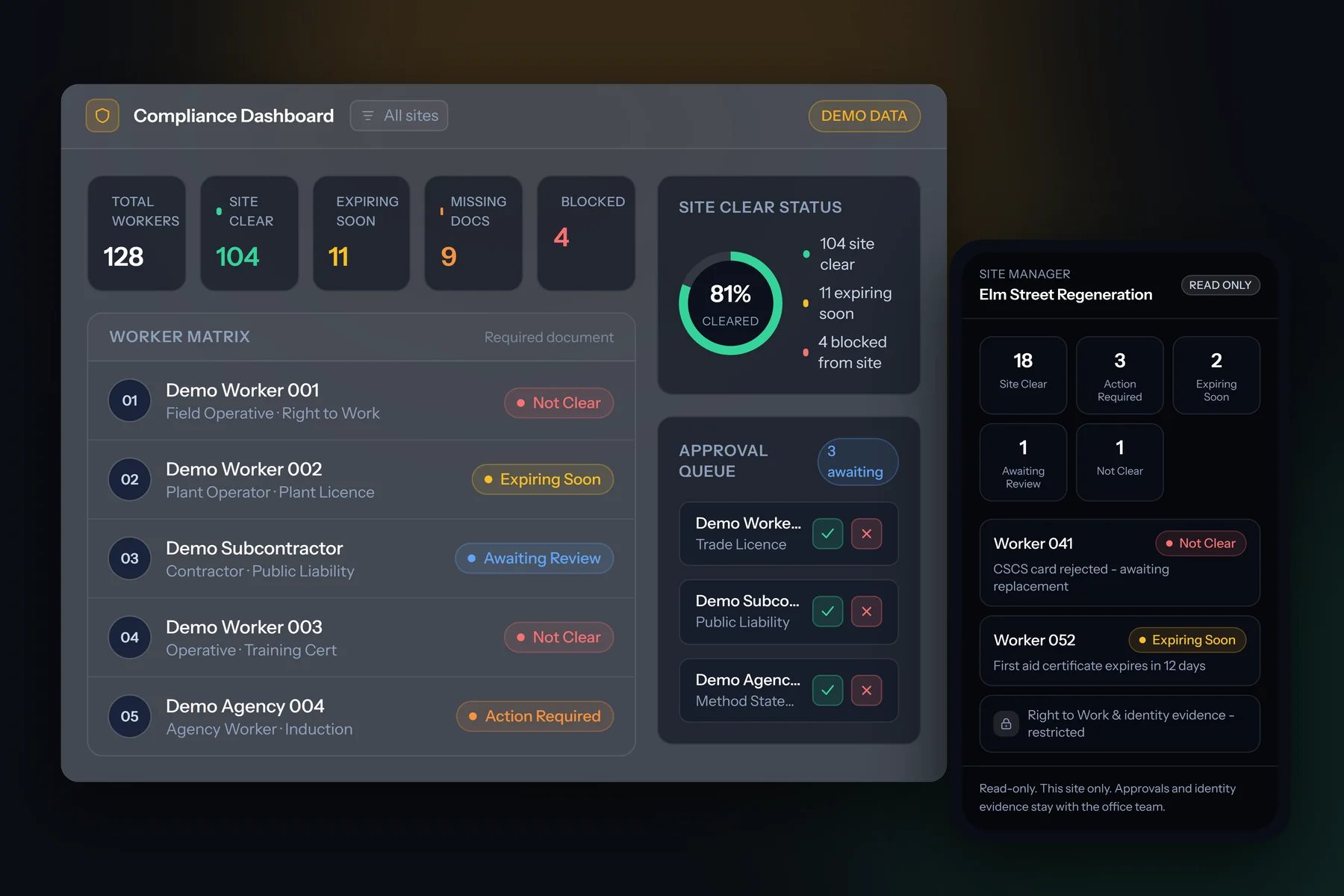
A custom compliance platform bringing workers, sites and documents together, with role-based access, expiry monitoring, reminders and a site-clear status showing whether workers meet the configured document requirements.
What Crew Matrix keeps in order
- Worker and subcontractor records, with trades and site assignments
- CSCS cards, and CPCS or NPORS plant cards
- Training certificates and site inductions
- Insurance, including public liability
- Right to Work evidence held on file
- RAMS and method statements, versioned and acknowledged
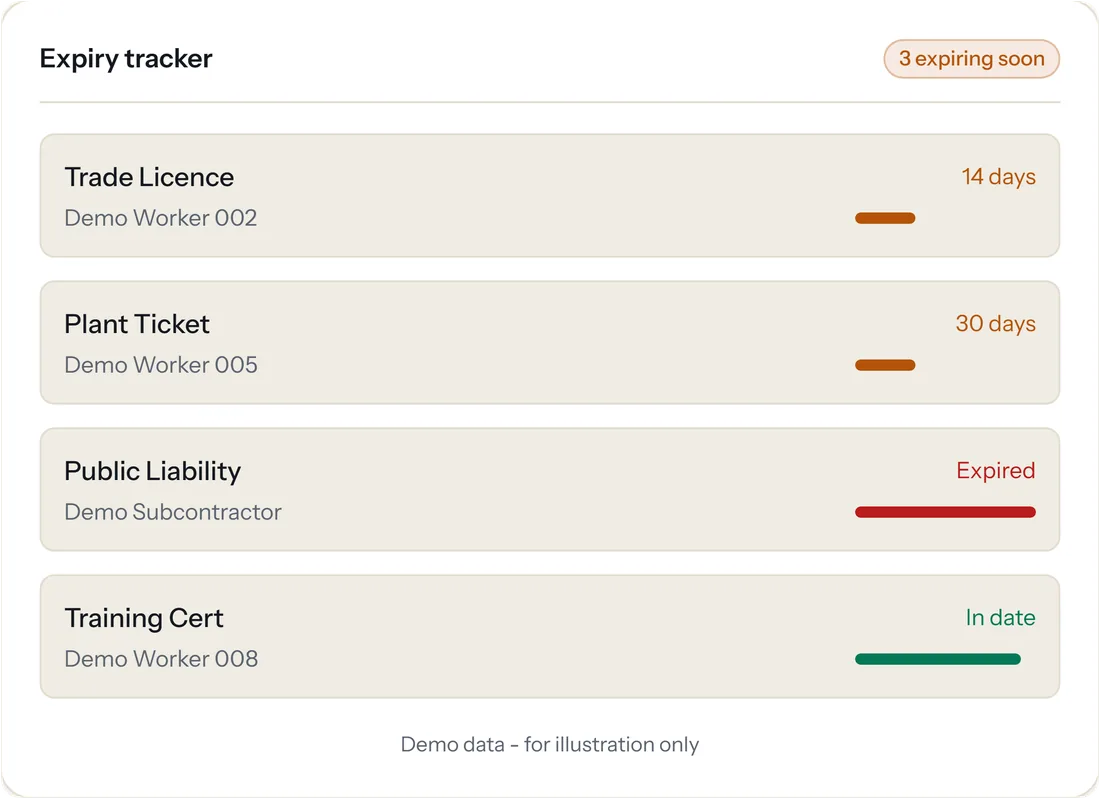
- An expiry date on every document, surfaced before it lapses
Right to Work, recorded honestly
Crew Matrix records and evidences the employer-side Right to Work checks a business holds on file, and keeps that evidence away from site-manager views. It does not carry out the legal check itself and does not provide a statutory excuse. That responsibility stays with the employer.
The workflow
Collect. Review. Track. Evidence.
One loop, from a missing document to a worker who is cleared, with nothing approved by accident and nothing lost along the way.
-
Collect
Request a document once. Workers and subcontractors sign in to their own secure portal and upload it from a phone browser, with no app to install.
-
Review
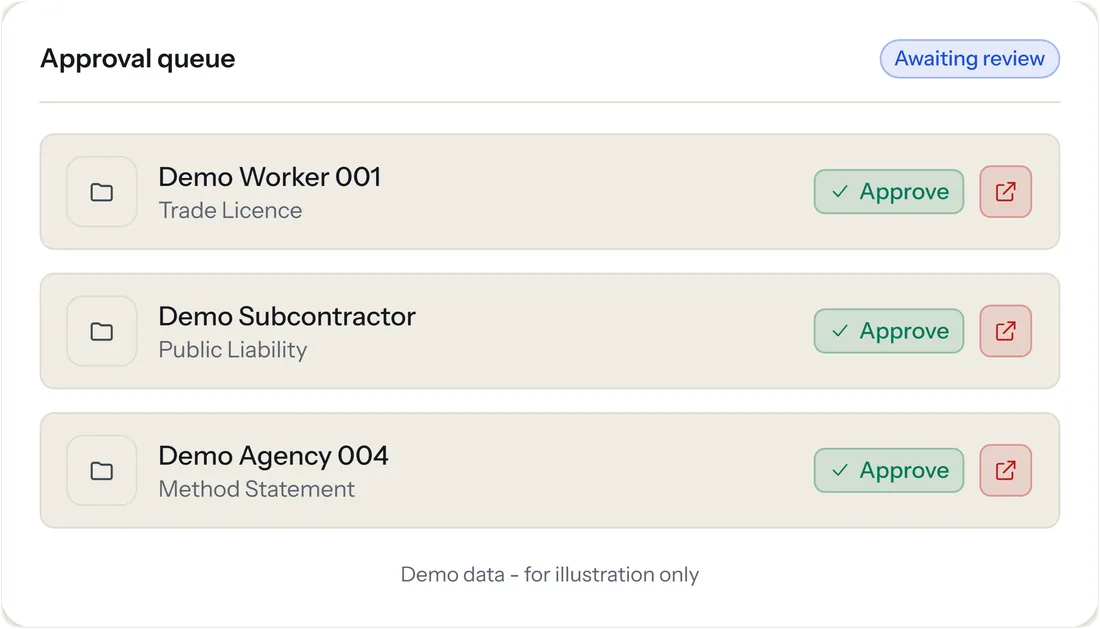
Each upload lands in an approval queue. A named reviewer approves it, rejects it or requests a replacement, with the reason recorded every time.
-
Track
Every document carries an expiry date. Anything close to lapsing is surfaced early, and email reminders chase the renewal.
-
Evidence
Every decision is written to an append-only history: what was uploaded, who approved or rejected it, when, and why.
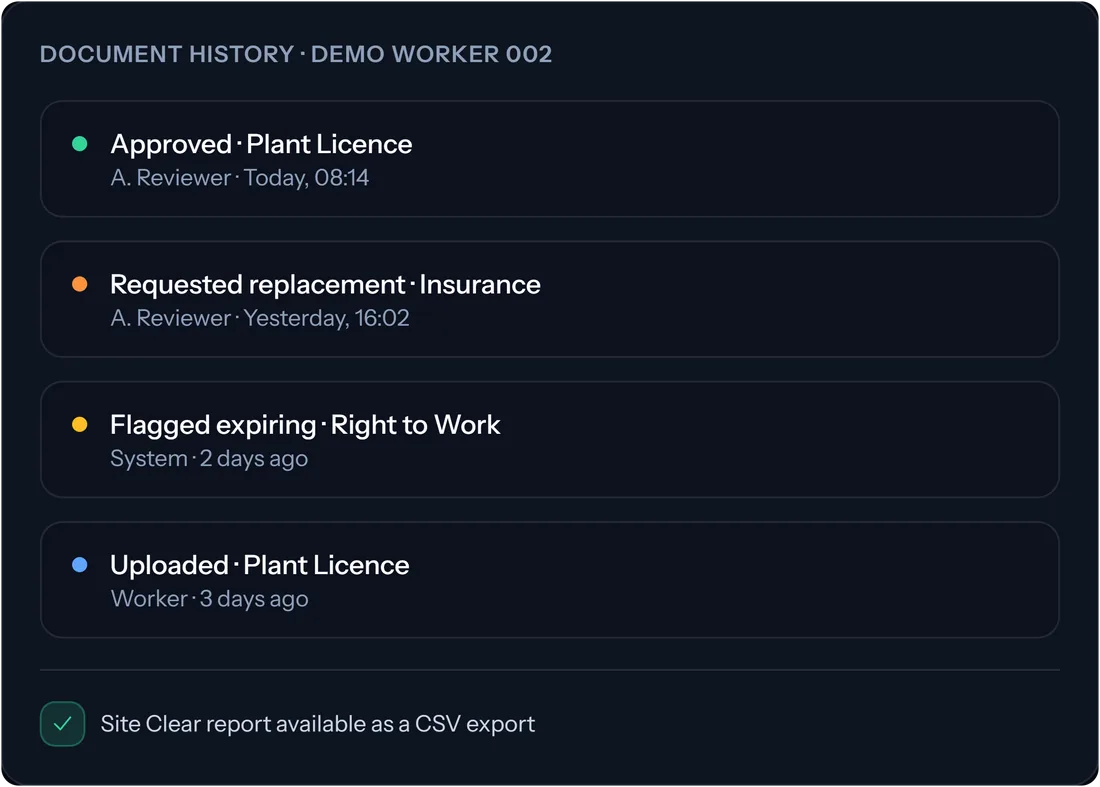
The audit history is append-only: recorded, and not editable or deletable in the app. It is not a tamper-proof or legally certified record, and an export does not guarantee acceptance by an auditor.
Site Clear
Five statuses. One per worker. Always current.
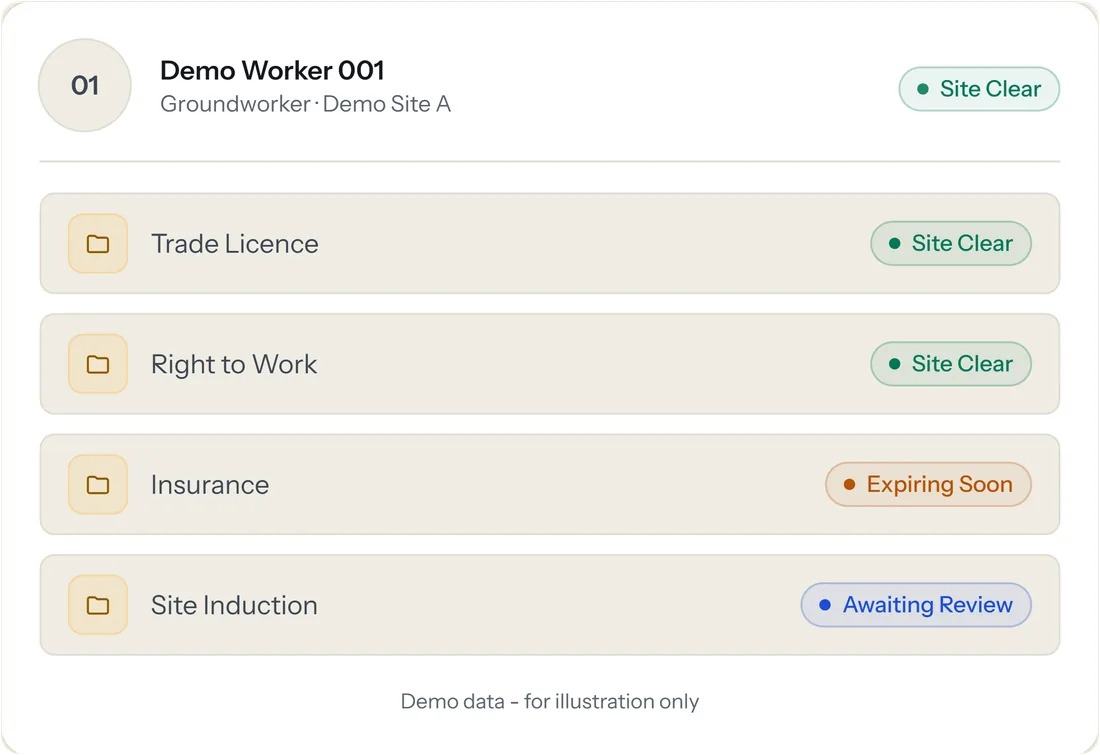
Site Clear is the readiness signal at the heart of Crew Matrix. Each worker is measured against the documents required for their role and the sites they are assigned to. A document only counts once it is uploaded, approved and in date, and the status recalculates whenever anything changes.
-
Site Clear
All required documents are present, approved and in date. The worker is ready for site.
-
Action Required
A missing document or a rejected upload needs attention before the worker is ready.
-
Expiring Soon
A required document is approved but about to lapse, so it can be renewed in time.
-
Awaiting Review
An upload is waiting in the queue for an internal reviewer to approve or reject.
-
Not Clear
A critical document is missing or was rejected. The worker is not ready for site.
Site Clear is a management signal, not a legal determination. It organises and evidences what a business holds. The decision to let someone start work stays with the employer.
Product experience
The right view for each person, from the office to the gate.
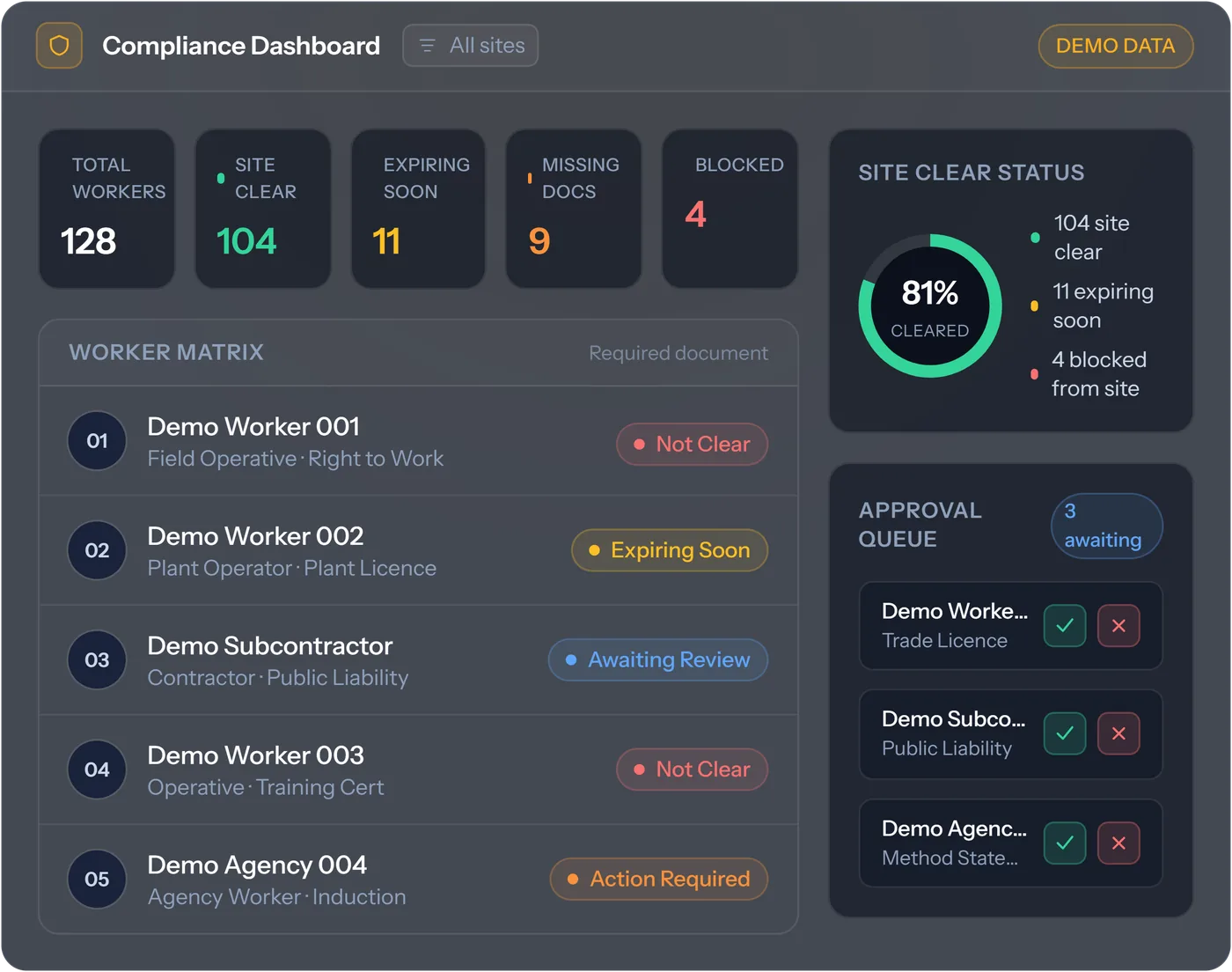
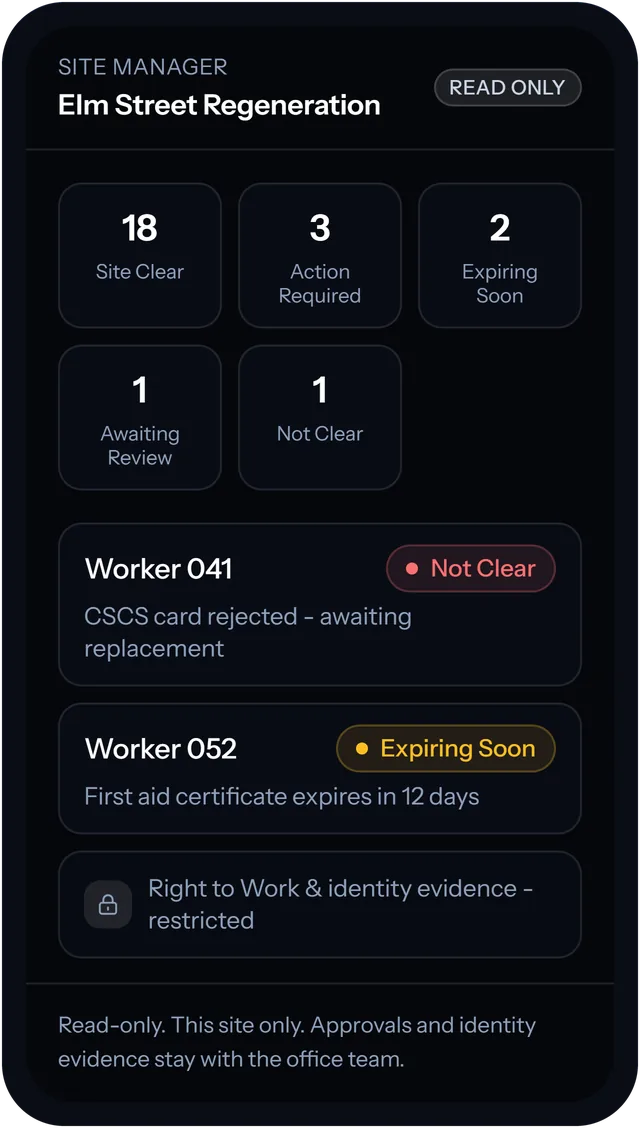
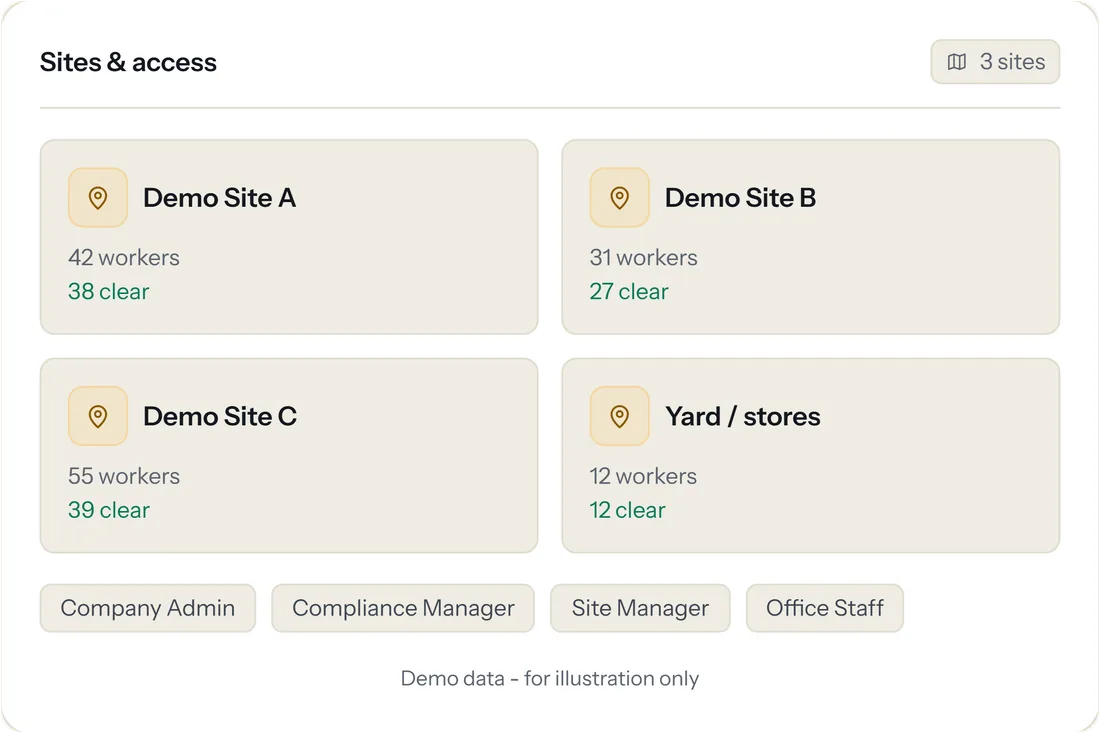
Every screen on this page is captured from the public Crew Matrix website and shows its demonstration data. No customer or worker information is shown.
Who it serves
Built for everyone between the office and the gate.
-
Principal and main contractors
Accountable for workforce readiness across their own teams and their supply chain.
-
Subcontractors
Supplying labour to several main contractors and needing to evidence readiness on demand.
-
Compliance and office teams
Requesting, reviewing and approving documents, with the evidence kept against each worker.
-
Site managers
A read-only view of who is Site Clear for their own sites, on a phone at the gate.
-
Workers and subcontractor staff
Uploading their own documents through a secure portal, without an app and without being charged as paid users.
-
Business owners
The whole workforce, and what is holding anyone back, at a glance.
Engineering
What sits underneath.
A compliance product holds sensitive evidence about real people. The platform is built around who may see what, where evidence lives and what can never be quietly changed.
-
Company-scoped SaaS architecture
Each company keeps its workers, sites and documents in its own account, isolated from every other company, with a guided company setup.
-
Role-based access and permissions
Company admin, compliance manager, site manager and worker roles. Site managers see only their assigned sites and never identity evidence.
-
Secure worker and administration portals
A signed-in administration panel for office teams, and a separate worker portal where people upload and manage their own documents.
-
Compliance workflow automation
Requirements set per role and per site drive each worker status, recalculated automatically as documents change, with scheduled email reminders.
-
Document and expiry management
Private document storage, a review queue for every upload and an expiry date tracked on every document.
-
Audit history
An append-only record of uploads and decisions that cannot be edited or deleted in the app.
-
Reports, exports and import
Site Clear, missing, expired and pending-review reports, CSV record exports and supported CSV import.
-
Responsive application interfaces
Worker and site-manager views that work in a phone browser, alongside the office administration panel.
-
Automated testing
Automated test coverage across core application workflows.
Built with
- Laravel
- Filament
- Livewire
- Tailwind CSS
- Vite
- Pest
- S3-compatible private storage
The commercial product
A product people can find, try, understand and buy.
Jogan built more than the software. Everything a buyer meets before they sign in was designed and built alongside it.
-
Product website
A dedicated website that explains the platform feature by feature, for the teams who buy it and use it.
-
Five-minute interactive demo
A guided walkthrough from a missing document to a recalculated status, using demonstration data, with no sign-up.
-
Published pricing
Per-active-worker pricing published in full, with the rate falling as a workforce grows.
-
Self-service onboarding
Companies set up their account and add their workforce without a sales call. Managed onboarding is an option.
-
Enterprise Assurance
A proposition for principal contractors and construction groups, with every capability labelled by what it does today.
-
Search guides
Plain-English pages on CSCS card tracking, site induction tracking, Right to Work and Site Clear status.
-
Security and trust
A published security page, subprocessor list and legal pages. JOGANGROUP LTD is Cyber Essentials certified and registered with the ICO.
Crew Matrix helps organise, evidence and chase workforce compliance documents. It does not verify that documents are genuine, does not complete a legal Right to Work check and does not replace legal, HR or health-and-safety advice. The employer or engaging organisation remains responsible for compliance decisions.
Still running critical operations on spreadsheets?
Jogan designs, builds and runs software like Crew Matrix. Tell us about the process your business depends on, and you will get a straight answer on what a proper system would take.